Journal watch
The Trade Marks Registry publishes a journal every week. Anyone can oppose an advertised application within four months of the journal being made available. Journal watch compares each journal with your portfolio so you can see conflicts in time.
The journal list
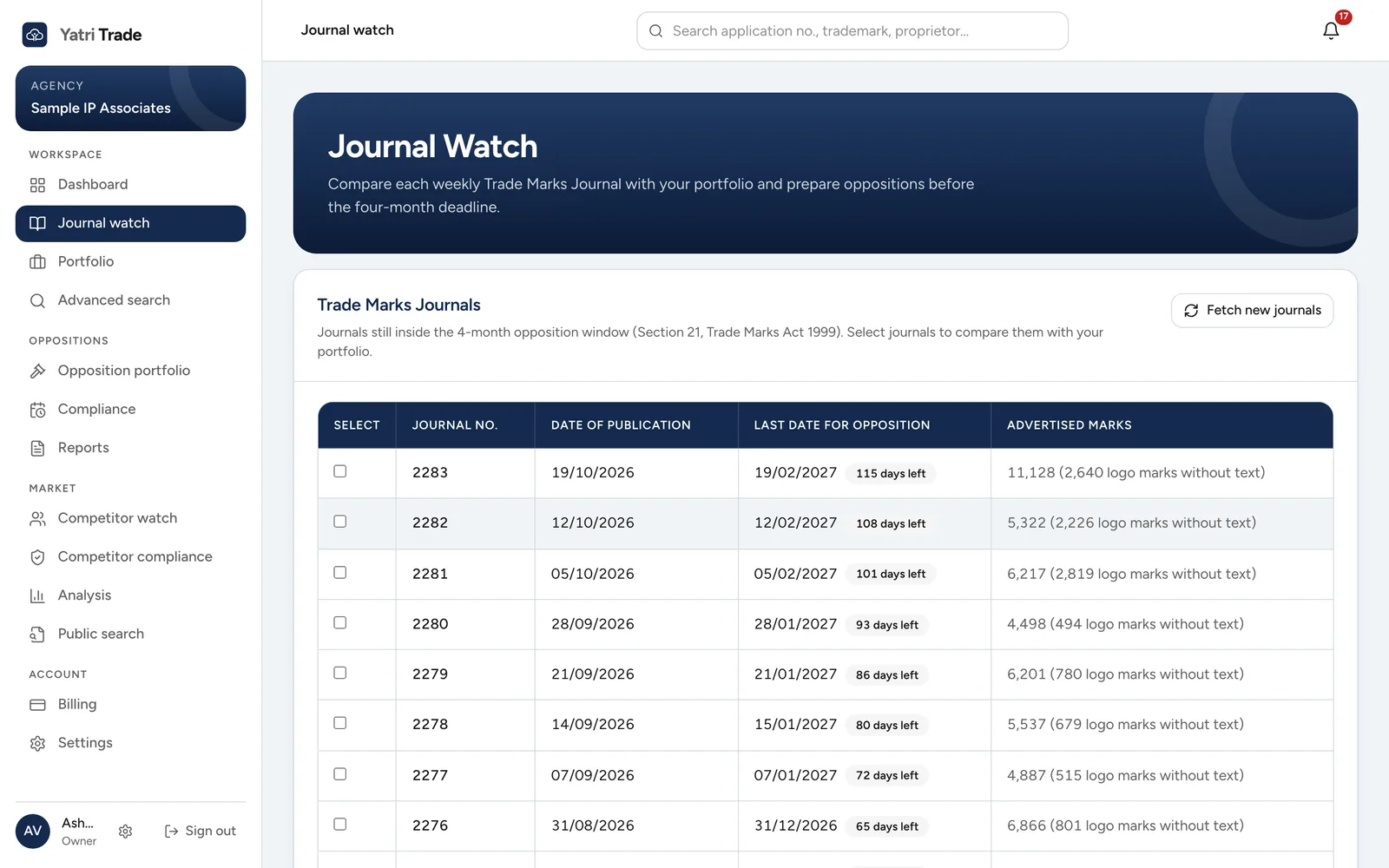
Journals still open for opposition, newest first. Each row shows the last date for opposition, the days left and how many logo marks have no readable text.
Journal watch shows the journals that are still open for opposition. For each journal you see:
- the journal number and publication date,
- the last date for opposition, with the days left,
- the number of advertised marks and how many of them are logo marks without readable text.
Yatri Trade fetches new journals every Wednesday night. Fetch new journals checks for a new journal straight away; it can take several minutes, and the list refreshes when it finishes.
Creating a search report
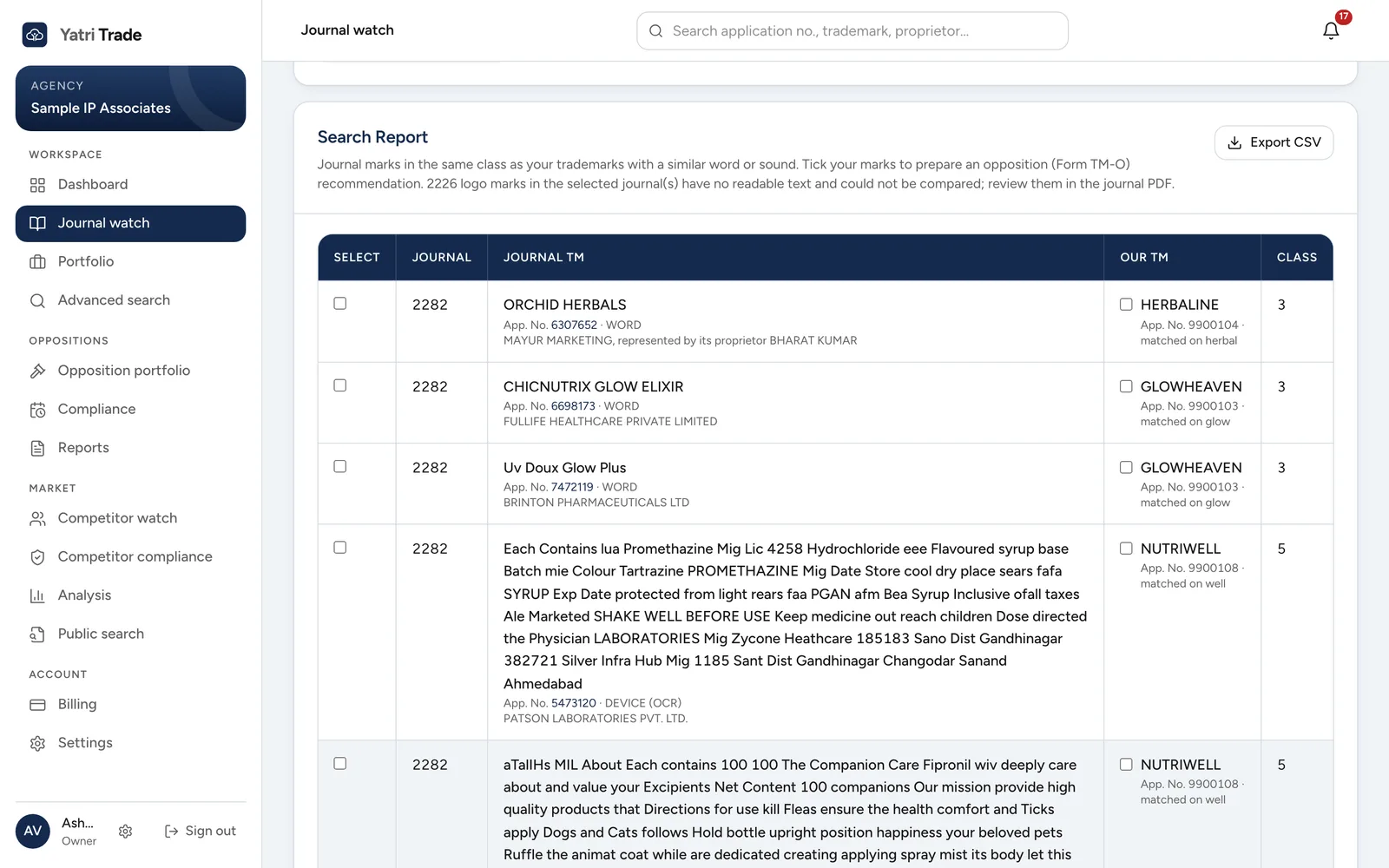
A search report for journal 2282. Each row shows the advertised mark, its application number and owner, then your mark it conflicts with and the word it matched on.
- Tick one or more journals.
- Choose Generate Search Report.
The report lists each advertised mark that is in the same class as one of your marks and is similar to it. For each match you see the journal mark, its application number and owner, your matching mark, and the reason for the match:
| Reason shown | What it means |
|---|---|
| A word part, such as "kulcha" | One word sits inside the other (BITE in VIPRABITES), both words start with the same five or more letters, or the shared part is five or more letters and most of the shorter word |
| A whole word, such as "kfc" | The marks share an identical word of three or more letters |
| Sounds like | A word in each mark sounds the same, for example FOTO and PHOTO |
| Similar overall | The whole marks are at least 80% alike, for example SAFOLA and SAFFOLA |
| Similar logo | The picture of the advertised mark looks like the logo of your mark. The percentage shows how alike they are |
Common words like "private", "limited", "india", "logo" and "device" are ignored, and so are short endings that thousands of words share, such as "tion" or "line". Your own applications never appear as conflicts.
Choose a reason below to see the kind of mark it catches. The marks are examples.
- VIPRABITES
BITE
Word partOne word sits inside the other.
Example marks. Matches are only looked for in the same class as your mark.
Logo matches
Yatri Trade also compares pictures. Every logo in a journal is compared with the logos of your marks in the same class, so a copied or closely imitated logo is found even when the words are different or the logo has no words at all. When a match is on the logo, the report shows both pictures next to each other.
Logo matching finds the same drawing at a different size, in a different colour, or light on a dark background. It does not find a different drawing of the same idea, such as two different lions, so keep reading the journal for those.
Your marks get their logo from the journal that advertised them. For a mark that was never in a journal Yatri Trade has read, upload its logo in the mark's panel in Portfolio.
Some logo marks have no readable text and no picture Yatri Trade could compare. The report tells you how many marks could not be compared so you can look at them in the journal itself.
Export CSV saves the report as a spreadsheet.
Select any application number to see the full record of that mark.
Next step
To act on a conflict, see Reports.