Dashboard and updates
Dashboard
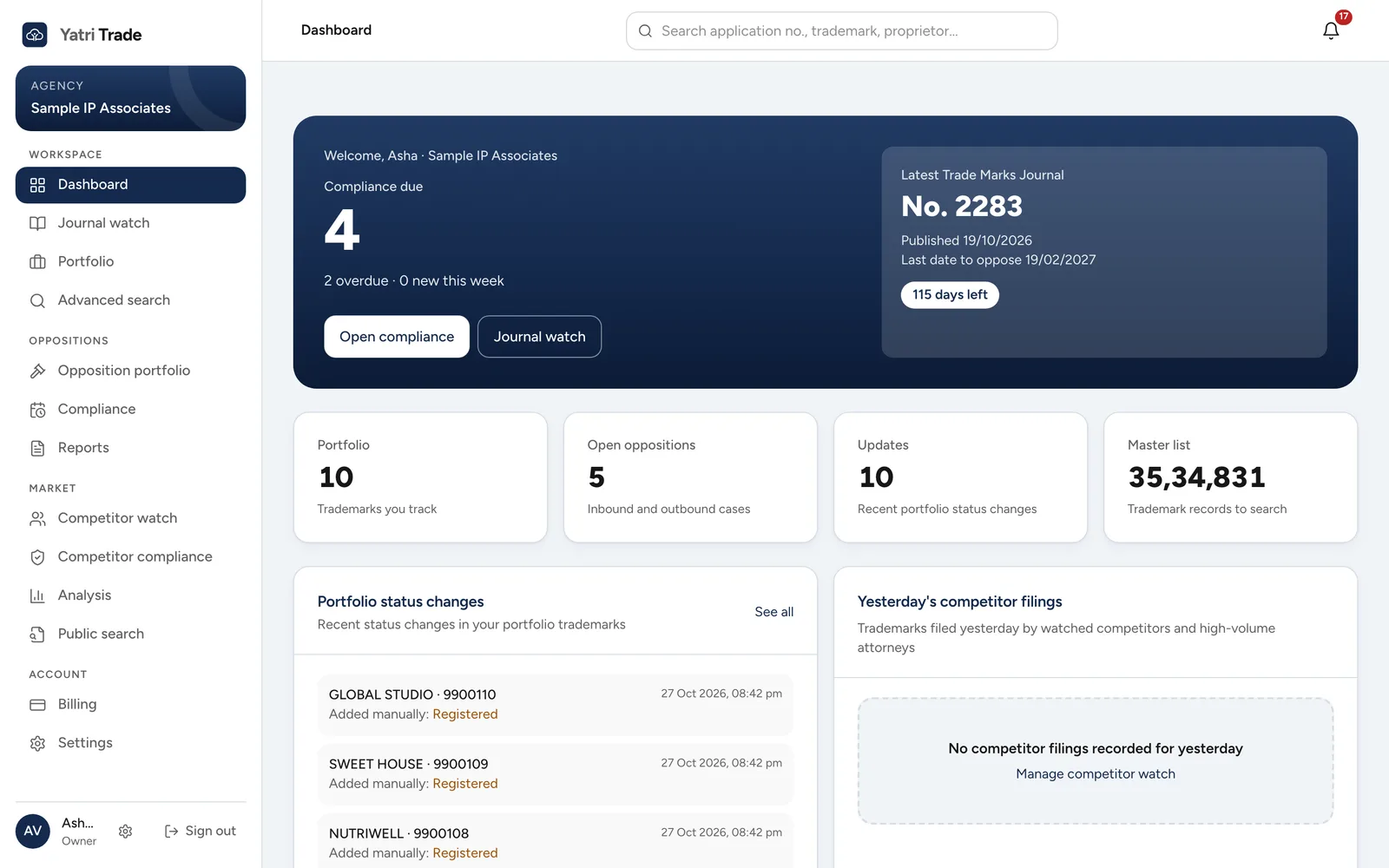
The dashboard of a sample firm. Compliance due is on the left and the latest journal, with its last date for opposition, is on the right. The four tiles below count your marks, open oppositions, recent status changes and the size of the shared master list.
The dashboard opens after you sign in.
The dark panel at the top shows how many compliance items are due, how many are overdue and how many started this week. Next to it is the latest Trade Marks Journal with its last date to oppose and the days left.
Below the panel are your portfolio size, your open oppositions, recent status changes and the size of the shared trademark list. Select any of them to open that part of Yatri Trade.
Further down you will find:
- portfolio status changes, such as a mark that moved from advertised to registered,
- yesterday's filings by competitors you watch and by every attorney above your firm's competitor threshold,
- your next compliance deadlines.
When your portfolio is empty, a short checklist helps you finish setting up.
Updates
Updates lists every status change in your portfolio and every change in your opposition cases, newest first, with the old and new status. Select an application number to see the full trademark record.
Notifications
The bell at the top right shows a count of things you have not seen: status changes, case changes and deadlines due within seven days or already overdue. Select a notification to open the related screen. Mark all as read clears the count.